Introduction
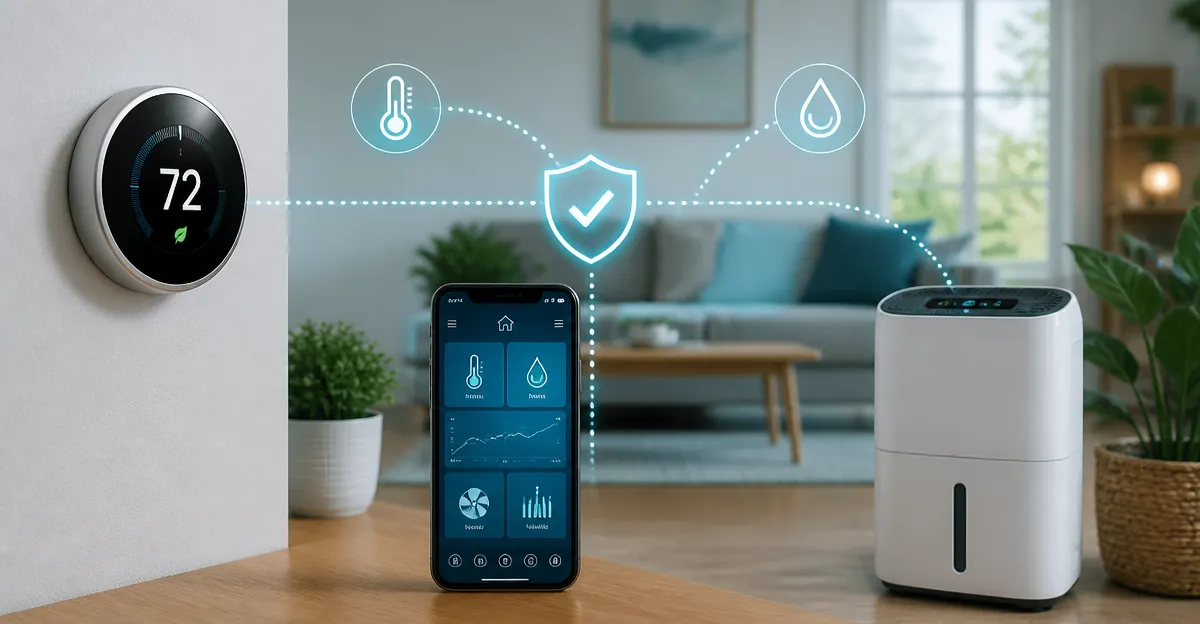
Smart homes rely on seamless communication between devices such as thermostats and dehumidifiers. When these devices compete for the same resources, users may experience temperature swings, humidity misreadings, or reduced energy savings. This guide explains the underlying causes of control conflicts and provides actionable strategies to keep every component operating harmoniously. Readers will learn foundational concepts, product recommendations, a comparison guide, and best‑practice tips to protect their comfort and utility bills.
Background/Context
Modern thermostats are more than simple temperature set‑points; they incorporate Wi‑Fi, geofencing, occupancy sensors, and integration with voice assistants. Dehumidifiers, especially smart models, also connect to the same network and may respond to humidity thresholds set by the thermostat. Both devices often share the same HVAC equipment, meaning that contradictory commands can cause the furnace or air conditioner to cycle inefficiently. Understanding how each system interprets data and issues commands is essential before implementing conflict‑avoidance measures.
Understanding Smart Thermostat and Dehumidifier Interactions
When a thermostat detects a drop in temperature, it may signal the furnace to fire, while a dehumidifier may simultaneously request the fan to run to lower humidity. If the HVAC system lacks separate fan control, these commands can clash, leading to short‑cycling or unnecessary energy consumption. Most smart thermostats provide an “eco+” mode that reduces heating and cooling when the home is unoccupied, which can inadvertently interfere with a dehumidifier’s continuous operation. Recognizing these overlapping functions allows homeowners to configure each device to respect the other’s priorities.
Managing Wireless Network Conflicts
All smart devices rely on a stable Wi‑Fi connection; congestion on a 2.4 GHz band can cause delayed responses or missed commands. Prioritize a dedicated SSID for IoT devices or use a modern dual‑band router that separates high‑traffic devices from low‑bandwidth sensors. Position the router centrally and avoid placing it near large metal appliances that can degrade signal strength. For homes with many devices, consider a mesh network to ensure consistent coverage for both thermostat and dehumidifier.
Coordinating Scheduling and Geofencing
Geofencing technology adjusts heating and cooling based on the homeowner’s location, while many dehumidifiers operate on a fixed schedule. If the thermostat reduces HVAC activity when you leave, the dehumidifier may continue to run, wasting energy and potentially over‑drying the air. Align the dehumidifier’s schedule with the thermostat’s “away” mode, or use a shared automation platform such as Apple HomeKit, Google Home, or Alexa to synchronize actions. The ecobee Smart Thermostat Essential offers built‑in geofencing and can be programmed to pause dehumidifier operation when the home is vacant, making it an ideal hub for conflict‑free scheduling.
Integrating with Voice Assistants and Automation Platforms
Voice assistants allow users to issue commands like “Set the thermostat to 72 °F” or “Turn on the dehumidifier.” When these commands are issued simultaneously, the system may prioritize the last received instruction, leading to unexpected temperature or humidity levels. Create routines that bundle thermostat and dehumidifier actions, ensuring that a single voice command triggers a coordinated response. The Sensi ST55 Smart Thermostat integrates natively with Alexa and Google Assistant, enabling custom routines that include third‑party smart plugs for dehumidifiers.
Product Recommendations for Conflict‑Free Operation
Choosing a thermostat that offers robust automation features reduces the likelihood of conflicts. The Honeywell Home Color Touch Thermostat provides customizable alerts and can send notifications when humidity exceeds set thresholds, allowing users to manually adjust the dehumidifier. For users seeking the most advanced occupancy detection, the ecobee Smart Thermostat Enhanced includes radar‑based room presence sensors that automatically lower heating when rooms are empty, preventing the dehumidifier from over‑working. Finally, the Honeywell Home T5 Smart Thermostat offers geofence‑driven “Home” and “Away” modes that can be linked to smart‑plug‑controlled dehumidifiers for seamless coordination.
Comparison/Selection Guide
| Feature | ecobee Essential | Sensi ST55 | Honeywell Color Touch | Honeywell T5 | ecobee Enhanced |
|---|---|---|---|---|---|
| Price (USD) | $139.99 | $79.99 | $142.99 | $81.95 | $199.99 |
| Average Rating | 4.2/5 (1,692 reviews) | 4.4/5 (22,890 reviews) | 4.3/5 (20,005 reviews) | 4.3/5 (1,407 reviews) | 4.4/5 (3,639 reviews) |
| Wi‑Fi Compatibility | Works with Siri, Alexa, Google Assistant | Alexa, Google Assistant, Apple HomeKit | Alexa, Google Home, Apple HomeKit | Alexa, Google Assistant | Siri, Alexa, Google Assistant, SmartThings |
| Occupancy Sensors | Basic touch screen, optional SmartSensor | No built‑in occupancy | No built‑in occupancy | No built‑in occupancy | Radar‑based room presence |
| C‑Wire Requirement | No C‑Wire needed (Power Extender Kit optional) | Usually not required | Required | Required | Power Extender Kit included |
| Energy Savings Claim | Up to 23% annually | About 23% annually | Energy Star certified, rebates available | 8‑16% savings reported | Up to 26% annually |
Homeowners should match their HVAC system compatibility, desired automation depth, and budget when selecting a thermostat. Those who value advanced occupancy detection and integrated smart‑home ecosystems may prefer the ecobee Enhanced, while budget‑conscious users may find the Sensi ST55 offers solid performance with privacy protection. Compatibility with existing dehumidifier smart plugs should also be verified before purchase.
Best Practices & Tips
- Assign distinct Wi‑Fi SSIDs for thermostats and dehumidifiers to reduce packet collisions.
- Enable “eco+” or “away” modes on the thermostat only after configuring the dehumidifier to pause during those periods.
- Use a single automation platform (e.g., Home Assistant, Apple HomeKit) to create joint routines that control temperature and humidity together.
- Regularly update firmware on both thermostat and dehumidifier to benefit from bug fixes that address command conflicts.
- Monitor energy reports from the thermostat’s app to identify unexpected spikes that may indicate a conflict.
FAQ
- Q1: Can a thermostat turn off a dehumidifier automatically?
- A: Yes, if the thermostat supports custom automation or if both devices are linked through a smart‑home hub, you can create a rule that disables the dehumidifier when the thermostat enters “away” mode.
- Q2: Do I need a C‑Wire for all smart thermostats?
- A: Not all. The ecobee Essential and Enhanced include power extender kits that eliminate the need for a dedicated C‑Wire, whereas Honeywell models typically require one.
- Q3: Will using a mesh Wi‑Fi system solve all connectivity issues?
- A: A mesh system greatly improves coverage, but you should still place devices within a reasonable range of a node and avoid excessive interference.
- Q4: How can I ensure privacy when using voice assistants?
- A: Choose thermostats like the Sensi ST55 that explicitly state they do not sell personal data, and configure voice‑assistant settings to limit data retention.
- Q5: Is it safe to run a dehumidifier and air conditioner simultaneously?
- A: Yes, provided the HVAC system’s fan can handle simultaneous operation; otherwise, you may experience reduced efficiency or short‑cycling.
- Q6: What should I do if my thermostat and dehumidifier keep conflicting after setup?
- A: Review automation rules, ensure firmware is up‑to‑date, and consider using a dedicated smart plug with energy monitoring to isolate the dehumidifier’s power cycle.
Conclusion
Preventing control conflicts between smart thermostats and dehumidifiers requires a blend of network management, coordinated scheduling, and thoughtful device selection. By understanding how each device communicates with HVAC equipment and leveraging automation platforms, homeowners can achieve consistent comfort while maximizing energy savings. The product recommendations provided illustrate how specific features—such as geofencing, occupancy detection, and integrated voice‑assistant support—directly address common conflict scenarios. Implement the best‑practice tips, monitor performance, and adjust routines as needed to maintain a harmonious smart home environment.
Products Featured in This Guide
ecobee Smart Thermostat Essential
Price: $139.99 | Rating: 4.2/5 (1,692 reviews)
Featured for its built‑in geofencing, optional SmartSensor support, and compatibility with most HVAC systems without a C‑Wire.
Sensi ST55 Smart Thermostat
Price: $79.99 | Rating: 4.4/5 (22,890 reviews)
Featured for its privacy‑focused design, easy DIY installation, and robust Alexa/Google Assistant integration.
Honeywell Home Color Touch Thermostat
Price: $142.99 | Rating: 4.3/5 (20,005 reviews)
Featured for its customizable color touchscreen, detailed humidity alerts, and strong compatibility with Alexa and Google Home.
Honeywell Home T5 Smart Thermostat
Price: $81.95 | Rating: 4.3/5 (1,407 reviews)
Featured for its geofence‑driven home/away modes and straightforward 7‑day scheduling that pairs well with smart‑plug dehumidifiers.
ecobee Smart Thermostat Enhanced
Price: $199.99 | Rating: 4.4/5 (3,639 reviews)
Featured for its radar‑based occupancy detection, built‑in power extender, and highest claimed energy‑saving potential of up to 26% annually.
Frequently Asked Questions
Why do smart thermostats and dehumidifiers sometimes conflict?
Both devices may send opposing commands to the same HVAC system, causing temperature swings and inefficient cycling.
How can I prevent control conflicts between these devices?
Use a single hub or automation platform to coordinate set‑points, and disable overlapping humidity or temperature triggers on one device.
What features should I look for in a thermostat to avoid dehumidifier clashes?
Choose a thermostat with customizable integration rules, geofencing, and the ability to pause HVAC control when a dehumidifier is active.
Can voice assistants cause thermostat‑dehumidifier conflicts?
Yes, if voice commands override automated schedules; ensure the assistant respects the coordinated rules you set.
Do coordinated devices improve energy savings?
When commands are synchronized, the HVAC runs fewer cycles, reducing electricity use and extending equipment life.