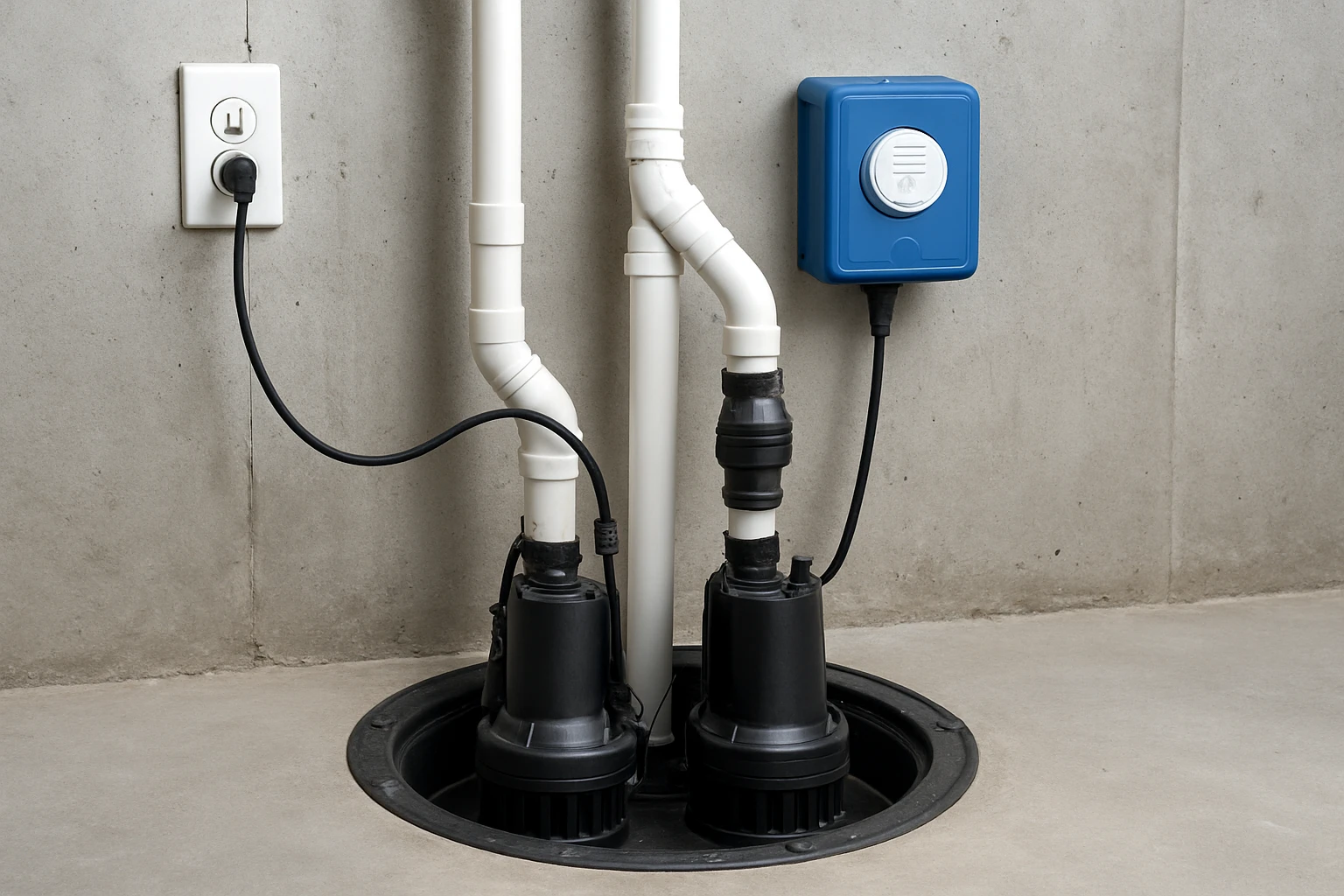
Introduction
This guide explains how to design, install, and maintain a dual sump pump system with integrated alarms. Readers will learn the essential components, wiring considerations, testing procedures, and best‑practice maintenance routines. The article also recommends four proven Amazon products that enhance reliability and provide remote monitoring. By the end of the guide, one will be able to protect a basement from flooding with confidence.
Background and Context
A dual sump pump configuration pairs a primary electric pump with a battery‑backed secondary unit. The primary pump handles routine water removal, while the backup activates during power loss or primary failure. Without a backup, a sudden outage can allow water to rise quickly, causing structural damage and costly repairs. Modern systems also incorporate alarms and Wi‑Fi alerts, enabling homeowners to respond before water reaches dangerous levels.
Key terminology includes:
- Lift – the vertical distance a pump can move water, measured in feet.
- GPH – gallons per hour, indicating pump flow capacity.
- Float switch – a sensor that triggers the pump when water reaches a preset level.
- Remote monitoring – cloud‑based services that send alerts via SMS, email, or push notification.
Understanding these concepts helps in selecting equipment that matches the size of the sump pit, local power reliability, and the homeowner’s monitoring preferences.
Designing a Dual Sump Pump System
The first step is to evaluate the pit dimensions, expected water inflow, and available power sources. A typical residential pit measures 2 ft × 3 ft × 3 ft, but larger basements may require higher‑capacity pumps. The following checklist guides the design process:
- Calculate peak inflow using local rainfall data (e.g., 1 inch per hour).
- Select a primary pump that can move at least 3,000 GPH at a 10‑ft lift.
- Choose a backup pump with a minimum of 2,000 GPH at the same lift.
- Determine battery capacity to sustain the backup pump for at least 24 hours.
- Integrate a high‑level alarm and a low‑level sensor for redundancy.
When the design meets these criteria, the installation becomes straightforward. The following sections recommend specific products that satisfy each requirement.
Recommended Products and Their Role
The first product, PumpSpy PS2000 Backup System, provides a Wi‑Fi‑compatible battery backup pump with a proprietary app. It monitors both primary and backup units, sending alerts without a monthly subscription. Key specifications include a 3,600 GPH maximum flow, 2,400 GPH at 10 ft lift, and a 3‑times‑weekly self‑test to verify readiness. The system holds a 3.9‑star rating from 131 reviews and costs $489.99.
For homeowners who prefer an all‑in‑one pre‑assembled solution, the Basement Watchdog Combo combines a 1/3 HP primary pump (3,100 GPH at 10 ft lift) with a 1,000 GPH backup pump and a 24‑hour monitoring controller. It is priced at $329.99 and enjoys a 4.4‑star rating from 240 reviewers. The kit includes dual float switches, a compact battery, and a fluid sensor that reports battery health.
To add a simple, low‑cost water‑level alert, consider the MySpool Water Level Alert. This battery‑powered detector uses a 5‑ft float sensor, sends free email and text notifications, and operates for up to 500 alerts per set of AAA batteries. It is priced at $57.99 and carries a 4.4‑star rating from 1,070 reviews.
Finally, the Sump Alarm High Water Alarm offers a loud 90 dB siren, red LED indicator, and a 10‑ft float switch for both high and low water detection. At $129.99 and a 4.3‑star rating from 152 reviews, it provides audible warning for users who prefer a local alarm over cloud alerts.
Step‑by‑Step Installation
Below is a detailed procedure that works with any of the recommended products. The steps assume the primary pump is already installed.
- Power off the main breaker and disconnect the existing pump from the outlet.
- Mount the backup pump beside the primary unit, ensuring the discharge pipe aligns with the existing check valve.
- Connect the backup pump to the controller supplied with the PumpSpy PS2000 or Basement Watchdog Combo. For PumpSpy, plug the controller into a standard 120‑V outlet; the controller will power the primary pump and monitor its current draw.
- Install the float switches: one low‑level switch for the primary pump and a second high‑level switch for the backup. Position the switches according to the manufacturers’ diagrams—generally 2 inches above the pit floor for low‑level and 6 inches below the pit rim for high‑level.
- Wire the alarm devices. The Sump Alarm High Water Alarm connects to the same float switch circuit, providing an audible alert when the high‑level sensor trips. The MySpool detector attaches to the float sensor’s leads and pairs with Wi‑Fi during setup.
- Secure all electrical connections with waterproof wire nuts and route cables away from standing water.
- Restore power and configure the Wi‑Fi settings on the PumpSpy app or Basement Watchdog controller. Follow the on‑screen prompts to link the device to the remote monitoring service.
- Test the system: manually lift the float switch to simulate a high‑water event. Verify that the backup pump activates, the alarm sounds, and notifications arrive on the smartphone and email.
After successful testing, label each component and store the user manuals in a waterproof container near the pit. This documentation simplifies future troubleshooting.
Testing and Ongoing Maintenance
Regular testing ensures that the backup pump will function when needed. Both PumpSpy and Basement Watchdog perform automated self‑tests three times per week, but homeowners should also conduct manual checks monthly.
- Battery health: Verify voltage with a multimeter; replace batteries when voltage drops below 12 V for PumpSpy or when the Watchdog indicator flashes low‑battery warning.
- Float switch movement: Clean any debris that may impede the float; lubricate the hinge if the switch feels stiff.
- Alarm sound: Press the test button on the Sump Alarm High Water Alarm to confirm the 90 dB siren and LED operate correctly.
- Connectivity: Open the MySpool app or PumpSpy dashboard weekly to confirm the device reports “online” status.
Document each test in a logbook, noting the date, battery voltage, and any anomalies. Over time, this record helps identify wear patterns before a failure occurs.
Comparison and Selection Guide
| Feature | PumpSpy PS2000 | Basement Watchdog Combo | MySpool Alert | Sump Alarm |
|---|---|---|---|---|
| Primary Pump Capacity | Uses existing 120 V pump (up to 3,600 GPH) | 1/3 HP, 3,100 GPH @10 ft | — | — |
| Backup Pump Capacity | 3,600 GPH max, 2,400 GPH @10 ft | 1,000 GPH @10 ft | — | — |
| Remote Alerts | App, SMS, email (no subscription) | 24‑hr controller with optional app | Email & text (free) | Local audible only |
| Battery Runtime | Designed for full‑day operation | Days of intermittent pumping | 500 alerts per battery set | — |
| Price | $489.99 | $329.99 | $57.99 | $129.99 |
| Average Rating | 3.9/5 (131) | 4.4/5 (240) | 4.4/5 (1,070) | 4.3/5 (152) |
Homeowners who value comprehensive remote monitoring should prioritize PumpSpy, despite its higher price. Those seeking a turnkey kit with strong performance at a lower cost may select the Basement Watchdog Combo. For simple water‑level notification without a backup pump, MySpool offers the most economical solution. The Sump Alarm High Water Alarm complements any system by providing a loud local warning.
Best Practices & Tips
- Install the backup pump on a dedicated battery backup circuit to avoid overloading the main breaker.
- Use PVC pipe of at least 1‑inch diameter for the discharge line to reduce friction loss.
- Seal all conduit penetrations with silicone caulk to prevent moisture ingress.
- Periodically clean the sump pit to remove sediment that can clog the pump impeller.
- Consider a secondary high‑level alarm (such as the Sump Alarm) even when using cloud alerts, because power outages can affect Wi‑Fi connectivity.
- Register each device with the manufacturer’s warranty portal to simplify future service claims.
Frequently Asked Questions
- What is the ideal battery size for a backup pump?
- A 12‑V deep‑cycle battery rated at 100 Ah typically provides 24‑hour runtime for a 1,500 GPH backup pump. Adjust capacity based on pump flow and expected outage duration.
- Can I use a backup pump with a different voltage than the primary?
- Yes, provided the controller supports the voltage conversion. PumpSpy’s controller accepts any standard 120‑V primary pump and supplies 12‑V power to its internal battery backup.
- How often should I test the float switches?
- Manual tests are recommended monthly, while automated self‑tests (available on PumpSpy and Watchdog) run three times per week.
- Do I need a separate Wi‑Fi network for the alerts?
- No, the devices connect to the existing home Wi‑Fi. Ensure the network has a stable internet connection; otherwise, alerts may be delayed.
- What happens if the Wi‑Fi goes down during a power outage?
- The backup pump will still operate because it runs on battery power. However, remote alerts will be delayed until connectivity is restored. A local audible alarm such as the Sump Alarm mitigates this risk.
- Is professional installation required?
- Installation can be performed by a competent DIY homeowner with basic electrical knowledge. If local code requires a licensed electrician for pump wiring, consult a professional.
Conclusion
A dual sump pump system with reliable alarms dramatically reduces the risk of basement flooding. By selecting the appropriate backup pump, integrating remote alerts, and performing regular maintenance, homeowners can enjoy peace of mind even during severe storms. The products highlighted in this guide—PumpSpy PS2000 Backup System, Basement Watchdog Combo, MySpool Water Level Alert, and Sump Alarm High Water Alarm—represent a spectrum of solutions that address budget, complexity, and monitoring preferences.
Products Featured in This Guide
PumpSpy PS2000 Backup System
Price: $489.99 | Rating: 3.9/5 (131 reviews)
Featured for its Wi‑Fi‑compatible battery backup, real‑time app alerts, and self‑testing capabilities.
Basement Watchdog Combo
Price: $329.99 | Rating: 4.4/5 (240 reviews)
Featured for its pre‑assembled primary and backup pumps, dual float switches, and 24‑hour monitoring controller.
MySpool Water Level Alert
Price: $57.99 | Rating: 4.4/5 (1,070 reviews)
Featured for its simple battery‑powered design, free email/text notifications, and versatile float sensor.
Sump Alarm High Water Alarm
Price: $129.99 | Rating: 4.3/5 (152 reviews)
Featured for its 90 dB audible alarm, red LED indicator, and durable 10‑ft float switch.