
Introduction
This guide explains how one can download, customize, and effectively use a sample contractor bid comparison template for basement waterproofing. By following the structured process, the reader will be able to evaluate multiple contractor proposals, compare pricing, scope, and warranties, and make an informed decision that protects the home investment. The guide also integrates practical product recommendations that streamline documentation and repair tasks, ensuring a professional outcome.
What You'll Need
- Computer with internet access to download the template (PDF or Excel format).
- Printer and high‑quality paper for hard copies.
- Pen or pencil for manual notes.
- Digital or paper filing system to store contractor bids.
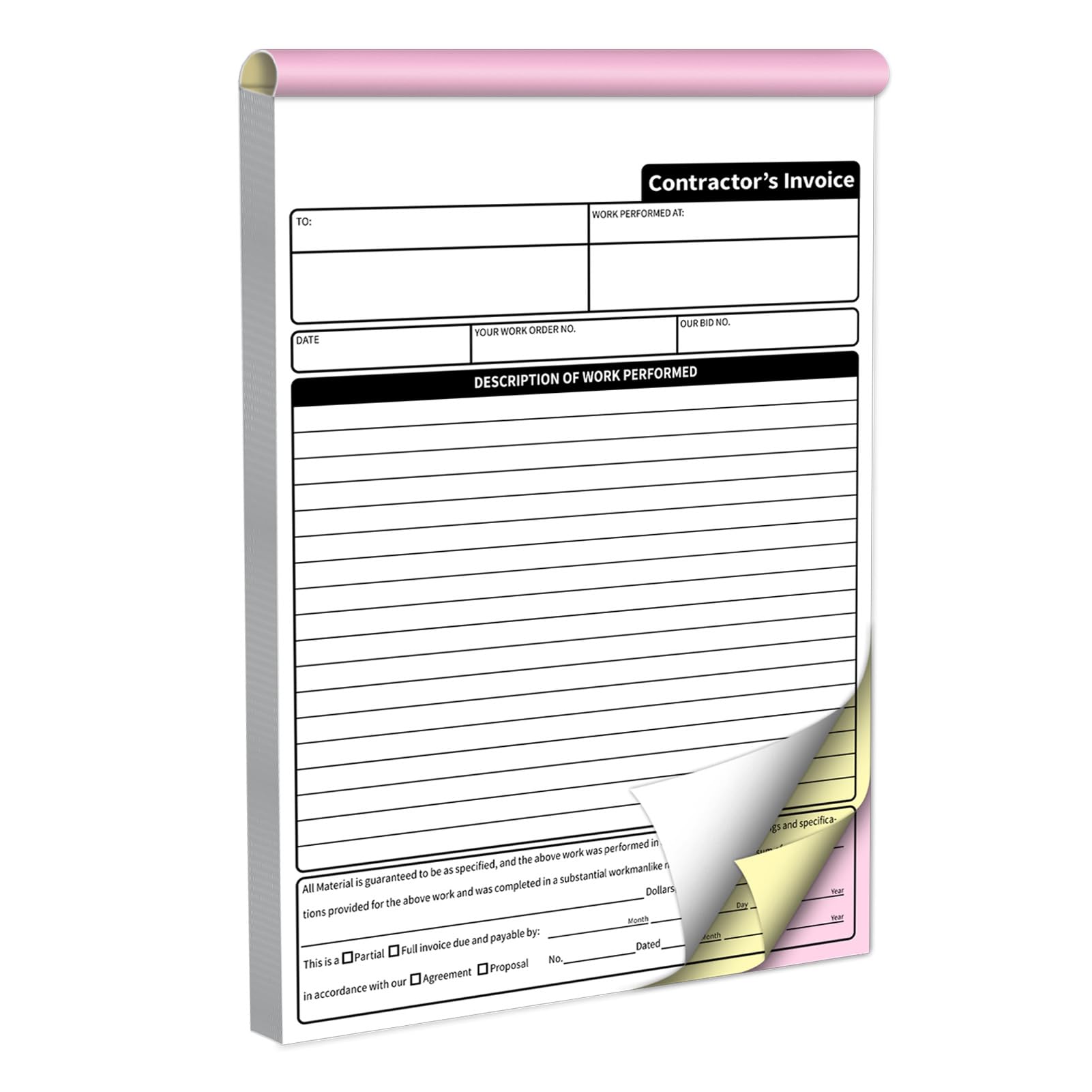
- AMXZEA 3‑Part Carbonless Invoice Book for creating organized records of communications and receipts.
- Quikrete Rapid Set Water Stop Cement for addressing any minor leaks discovered during the inspection phase.
Step 1: Download and Open the Template
Navigate to the provider's website or a reputable construction resource and locate the free basement waterproofing bid comparison template. Click the download button and save the file to a known folder. Open the file using spreadsheet software such as Microsoft Excel or Google Sheets. Verify that the columns include contractor name, scope of work, materials, labor cost, warranty period, and total price. Adjust column widths if necessary to improve readability.
Step 2: Gather Contractor Proposals
Contact at least three reputable waterproofing contractors and request written proposals. Ensure each proposal details the same scope: interior drainage system, exterior wall sealant, sump pump installation, and any necessary foundation crack repair. Ask the contractors to use the same units of measurement and to provide itemized costs. When proposals arrive, scan or photograph them and store the files in a dedicated folder named "Waterproofing Bids".
Step 3: Input Data into the Template
Copy the relevant data from each proposal into the appropriate rows of the template. For example, under the "Materials" column, list the type of sealant, pipe diameter, and any specialty products. Under "Labor", record the estimated hours and hourly rate. Use consistent terminology to avoid confusion when comparing rows later. If a contractor includes optional upgrades, place them in a separate sub‑section so they do not distort the core comparison.
Step 4: Use the Invoice Book for Documentation
While entering data, maintain a paper trail of all communications. The AMXZEA 3‑Part Carbonless Invoice Book provides three carbonless copies for each entry: one for personal records, one for the contractor, and one for the homeowner archive. Each page measures 7.3 × 11 inches, offering ample space for detailed notes, signatures, and dates. The built‑in cardboard backing ensures the book remains portable on job sites, and the perforated edges allow clean tear‑out of completed pages. This system eliminates the risk of losing receipts or email threads, thereby strengthening the legal standing of the homeowner should a dispute arise.
Step 5: Analyze Costs and Value
With all data entered, sort the spreadsheet by total price to identify the most economical offer. However, price alone should not dictate the final decision. Examine warranty length, material quality, and the contractor's reputation (as reflected by online reviews and references). Create a weighted scoring system: assign points for cost (30 %), warranty (25 %), material specifications (25 %), and contractor reliability (20 %). Calculate a final score for each bid and rank them accordingly.
Step 6: Verify Waterproofing Materials
If the bid includes crack repair or minor water infiltration, consider testing a small area with a fast‑acting sealant. The Quikrete Rapid Set Water Stop Cement sets in three to five minutes and creates a hydraulic barrier that can be applied to concrete or masonry. Its rapid cure time reduces downtime and allows the contractor to demonstrate the product's effectiveness before committing to larger quantities. The cement is rated 4.6 out of 5 stars by over three hundred reviewers, indicating reliable performance for both above‑grade and below‑grade applications such as pool decks, foundation walls, and pipe sleeves.
Step 7: Conduct a Pre‑Installation Walk‑Through
Schedule a walk‑through with the selected contractor to confirm the scope matches the documented bid. Use the invoice book to record any adjustments, additional observations, or site‑specific constraints such as limited access or existing utilities. Take photographs of problem areas and attach them to the corresponding rows in the spreadsheet using the insert‑image function. This visual documentation supports the accuracy of the final invoice and provides a reference point for warranty claims.
Step 8: Finalize the Contract
Once the contractor agrees to the documented terms, request a written contract that mirrors the bid comparison template. Ensure the contract includes a detailed payment schedule, milestone dates, and a clear warranty clause. Have both parties sign the contract and retain a carbonless copy in the invoice book for future reference. Store the original contract in a fire‑proof safe or digital cloud storage with encryption.
Tips & Pro Tips
- Always request itemized pricing; lump‑sum figures obscure hidden costs.
- Verify that the contractor holds appropriate licensing and insurance for waterproofing work in your jurisdiction.
- When using the Quikrete cement, pre‑wet the surface for optimal adhesion and avoid applying on loose debris.
- Maintain a separate column for optional upgrades such as dehumidifier installation; this prevents them from skewing the core cost analysis.
- Use a digital backup service (e.g., Google Drive) to store scanned copies of all documents; this safeguards against physical loss.
Troubleshooting
Problem: Contractor bids use different units (e.g., square feet vs. linear feet).
Solution: Convert all measurements to a common unit before entering them into the template. Use an online conversion calculator to ensure accuracy.
Problem: The rapid‑set cement does not adhere properly.
Solution: Clean the surface thoroughly, remove any oil, dust, or loose particles, and apply a thin layer of water to dampen the substrate before mixing the cement.
Conclusion
By following this step‑by‑step guide, one can confidently download, customize, and apply a contractor bid comparison template for basement waterproofing. The process emphasizes thorough data collection, objective analysis, and meticulous documentation using the recommended invoice book and rapid‑set cement. Armed with a clear comparison and solid records, the homeowner can select the best contractor, protect the investment, and ensure a dry, healthy basement for years to come.
Products Mentioned in This Guide
Frequently Asked Questions
How can I download the contractor bid comparison template for basement waterproofing?
Visit the provided link, choose PDF or Excel, and click download to save the file to your computer.
What information should I include when filling out the bid comparison template?
Enter each contractor’s price, scope of work, warranty details, and any additional fees or materials.
Do I need to print the template, or can I use it digitally?
Both options work; print for handwritten notes or use the digital version for easy editing and sharing.
How does the AMXZEA 3‑Part Carbonless Invoice Book help with bid tracking?
It lets you create duplicate records of communications and receipts, keeping a clear paper trail of contractor proposals.
Can the Quikrete Rapid Set Water Stop Cement be used alongside the template?
Yes, note any required cement repairs in the template’s scope column to factor material costs into the comparison.